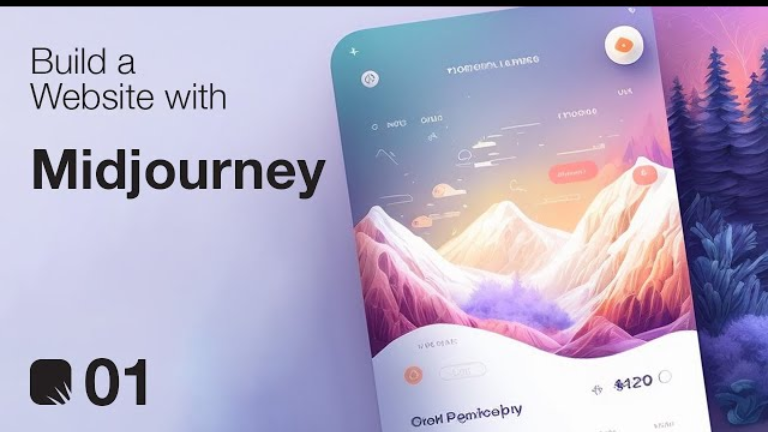
How to Use Midjourney to Design Stunning Web Interfaces
When you hear “Midjourney,” you probably think of surreal digital art or hyper-realistic portraits. But what if I told you it is secretly one of the most powerful web design tools on the market right now?
Most people think Midjourney is just for generating images. But in my testing over the last few months, I’ve found that with the right prompts, it can generate professional UI/UX layouts, landing page mockups, and complete design systems faster than Figma.
If you are a developer, a solo founder, or a marketer who doesn’t have a design team, here is my exact workflow for using Midjourney for web design.
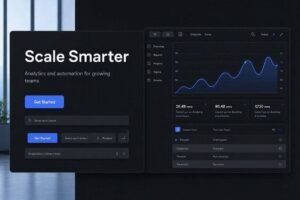
Overview: Can Midjourney actually design a website? Midjourney cannot write HTML or CSS. It is an image generation tool. However, it acts as the ultimate ideation partner. Instead of staring at a blank screen, you can generate 10 different layout concepts in 2 minutes, pick the best one, and hand it off to a developer (or an AI coder) to build.
Feature 1: The Best Midjourney Prompts for Web UI The secret to web design in Midjourney is using the correct aspect ratio and UI-specific keywords. If you just say “design a website,” you will get a generic image.
Here is the exact prompt formula I use:
- The Prompt: “UI/UX design of a landing page for [insert niche], hero section, navigation bar, features section, modern, clean, dark mode, UI, UX, clean layout, Figma design, Dribbble and Behance style, –ar 16:9 –v 6.0”
By adding keywords like “Figma design” and “Dribbble,” you force the AI to pull from high-quality design portfolios. The --ar 16:9 ensures it generates a widescreen desktop layout instead of a square.
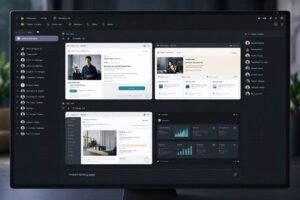
Feature 2: Generating Assets & Color Palettes Midjourney isn’t just for full-page layouts. You can use it to generate the individual pieces of your website.
- Icons & Illustrations: Prompt for “flat vector illustration of [subject], minimalist, corporate style, UI asset.”
- Backgrounds: Prompt for “abstract 3D background, dark blue and purple, minimal, soft lighting, 8k.”
- Color Palettes: Once Midjourney generates a layout you like, simply upload the image to a free color picker tool (like colordrop.io) to instantly extract the hex codes for your website’s CSS.
Feature 3: The Conversion Process (Image to Code) This is where the magic happens. You have a beautiful Midjourney image, but it’s just a picture. You can’t click a button.
To convert this image into a real website, you have two options:
- Manual Build: Hand the image to a web developer to code into React or HTML.
- AI Coding (The Fast Way): Take the generated image and upload it directly into an AI coding tool. Tools like Google Stitch or Lovable AI can actually look at the Midjourney image and write the frontend code to match it perfectly.
Comparison Table: Midjourney vs. Other Design Tools
Pros & Cons of Using Midjourney for Web Design
Pros:
- Instant Inspiration: Beats “blank page syndrome” instantly with dozens of visual concepts.
- High-Quality Aesthetics: Pulls from the best design trends on the internet.
- No Design Skills Needed: If you can type a prompt, you can generate a professional layout.
Cons:
- Text is Garbled: Midjourney cannot generate readable website copy or logos inside the UI.
- Not a Real Website: It is a flat image. You still need a tool to make it functional.
- Inconsistent Spacing: Sometimes buttons or boxes will be slightly off-center, requiring manual fixes in code.
FAQ Section
Can Midjourney design a full website UI?
Yes, by using the --ar 16:9 aspect ratio and prompts including keywords like “UI/UX, landing page, Figma,” you can generate full-page desktop and mobile layouts.
What are the best Midjourney prompts for web design?
The best prompts include specific design styles (e.g., “dark mode,” “minimalist,” “brutalist”), platform mentions (e.g., “Dribbble,” “Behance”), and the wide aspect ratio tag --ar 16:9.
How do I convert a Midjourney image into a real website?
Midjourney only creates images. To make it a functional website, you must manually code it or upload the image to an AI coding tool like Lovable AI, v0 by Vercel, or Google Stitch to generate the frontend code.
Is Midjourney good for UX/UI design?
It is excellent for the visual ideation phase of UX/UI design. However, because it cannot create interactive prototypes or readable text, it should be paired with a tool like Figma or an AI coder for the final build.
Final Verdict: Who Should Use It? Rating: 8.5/10 If you are a professional UI/UX designer who needs pixel-perfect, interactive prototypes, stick to Figma. But if you are a founder, marketer, or developer who needs rapid visual inspiration to figure out what to build, Midjourney is an absolute game-changer. Pair it with an AI coding tool, and you have a full design-to-development pipeline in minutes.
Have you tried generating website mockups with Midjourney yet? Let me know what you built in the comments!