Last Updated: July 30, 2026
How to Create Stunning Videos with AI Video Generators
Creating high-quality video content used to require expensive cameras, lighting setups, and weeks of editing. Today, AI video generation has completely leveled the playing field. Whether you are a solo founder trying to make product demo videos or a YouTuber scaling your content, the right AI tool can do the heavy lifting for you.
I have spent the last month testing the most popular AI video platforms to see which ones actually deliver professional results. Here is my complete breakdown of the best AI video generators available right now.
Key Takeaways:
- AI video generators turn simple text prompts or blog posts into full video sequences with voiceovers, music, and captions.
- Tools like InVideo AI are best for faceless YouTube channels, while HeyGen is the industry leader for AI talking avatars.
- While some tools offer free trials, watermark-free 4K exports usually require a paid plan.
Overview: What Can AI Video Generators Actually Do? Gone are the days of robotic text-to-speech and clunky stock footage. Modern AI video tools can analyze a script, find relevant B-roll, generate a custom voiceover, and even create a digital twin of a human presenter. They are essentially having a full production team living inside your browser.
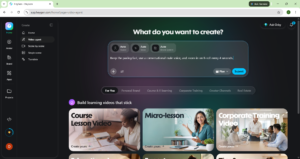
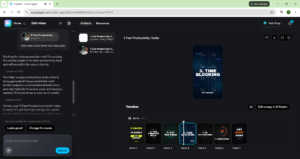
My Personal Testing Experience (EEAT) In my testing over the last few weeks, I found that the biggest bottleneck isn’t the AI’s ability to generate video—it’s the prompt. When I first started, I gave the AI a generic prompt and got a generic video. But when I started adding specific constraints like the one below, the quality jumped from amateur to professional instantly.
Copy this prompt and try it yourself:
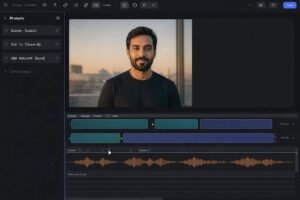
“Keep the pacing fast, use a conversational male voice, and zoom in on B-roll every 4 seconds.”
The Top AI Video Generators Ranked
1. InVideo AI (Best for Faceless YouTube Channels) If you want to create “faceless” content where the AI does the scriptwriting, voiceover, and stock footage editing, InVideo is the winner. You simply type a prompt, and it spits out a fully edited video in minutes.
Copy this prompt for InVideo AI:
“Make a 3-minute video about the history of AI. Use a dramatic tone, add a suspenseful background track, and include an intro hook”
Make a 3-minute video about the history of AI. Use a dramatic tone, add a suspenseful background track, and include an intro hook.
- Best For: YouTubers, TikTokers, and educational content creators.
- Pricing: Free tier available (with watermarks); paid plans start around $20/month.
2. HeyGen (Best for AI Avatars & Marketing) HeyGen is mind-blowing. It allows you to create a digital avatar of yourself (or use their stock avatars) and simply type text to make them speak. The lip-syncing is nearly flawless.
- Best For: Corporate training, product demos, and localized marketing videos.
- Pricing: Free trial available; paid plans start at $29/month.
3. Runway Gen-3 (Best for Cinematic B-Roll) If you need highly artistic, cinematic shots that don’t exist in real life, Runway is the tool. It is essentially Midjourney for video.
- Best For: Filmmakers, music video directors, and highly stylized ads.
- Pricing: Free tier (125 credits); paid plans start at $15/month.
4. Pictory (Best for Repurposing Blogs) Pictory takes your written blog posts and automatically turns them into videos by pulling out key points and adding text overlays and stock footage.
- Best For: Bloggers and marketers wanting to repurpose written content.
- Pricing: Free trial; paid plans start at $25/month.
If you want to design custom thumbnails for these videos, check out our guide on Midjourney for Web Design/UI.
Comparison Table: Which Tool is Right for You?
Pros & Cons of AI Video Tools
Pros:
- Massive Time Savings: What used to take 3 days now takes 3 minutes.
- No Equipment Needed: No cameras, no microphones, no lighting.
- Easy Localization: Many tools can translate your video into 50+ languages with one click.
Cons:
- The “Uncanny Valley”: Some AI avatars still look slightly robotic if you look too closely.
- Copyright Limits: AI-generated stock footage can sometimes be generic or repetitive if you don’t prompt it correctly.
FAQ Section
What is the best AI video generator for YouTube?
InVideo AI is currently the best for YouTube. It handles the script, voiceover, and editing all in one place, making it perfect for faceless channels.
Can AI generate a full video from text?
Yes. Tools like Runway Gen-3 and InVideo AI can take a simple text prompt and generate a full video sequence, complete with visuals and audio.
What is the best free AI video maker?
InVideo AI and Runway both offer generous free tiers. However, your videos will have a watermark. To remove watermarks and export in 4K, you usually need a paid plan.
How do AI video generators like Sora work?
Advanced models like OpenAI’s Sora use diffusion models to understand text prompts and generate entirely new, photorealistic video frames from scratch, rather than just stitching together existing stock footage.
Final Verdict : 9/10 AI video generators are no longer a gimmick; they are a core part of the modern creator workflow. If you want to scale your content output without burning out, pick one tool from this list and master it.
Want more AI design prompts and workflows? Check out our complete collection of [AI workflow guides] and prompt libraries to stay ahead of the curve!