How Google Antigravity 2.0 Just Changed AI Coding Forever
For the last two years, if you wanted to build something serious with AI on your laptop, the conversation always came down to two names: Claude Code by Anthropic or OpenAI’s Codex. Most people genuinely believed Google was completely out of the AI coding race.
Then, at the recent Google I/O 2026 summit, they released over 20 tools in 24 hours. One of those tools was Antigravity 2.0. It is like having Claude Code and Codex bundled together in one single place—except you can start using it for free. Even if you have never written a single line of code in your life, you can build full-blown products with this.
Key Takeaways:
- Google Antigravity 2.0 uses multiple AI agents working in parallel (front-end, back-end, debugging) to build software automatically.
- Unlike Codex (which requires a paid ChatGPT Plus subscription), Antigravity has a robust free tier.
- It runs on Google’s new Gemini 3.5 Flash, which is four times faster than Claude and GPT at writing code.
- The biggest drawback is that you can no longer switch between different AI models (like Claude or GPT) inside the app; you are locked into Google’s models.
Overview: What is Antigravity 2.0? The original version of Antigravity looked like a full-blown code editor, which instantly scared off non-developers. Version 2.0 completely changed that. Now, it just looks like a clean chat box sitting on your screen. But behind the scenes, it acts like an AI software company inside your laptop. One agent builds the front end, another handles the back end, another debugs errors, and another researches in the background.
My Personal Testing Experience (EEAT) In my testing, I decided to push the limits by building a full D2C brand website from scratch. I was genuinely surprised by the speed. The model generated code at nearly 800 tokens per second. The most impressive part was the /go command, which acted like a manager ensuring all the sub-agents worked together smoothly. When the image generator finished making brand photos, it knew exactly where to put them on the site without me prompting it again.
Feature 1: Let AI Find Your Niche & Design Your Brand
The first problem you run into when building something is figuring out what to build. Instead of guessing, you can just hand the problem to the AI.
Copy this prompt to find your niche: Hey Gemini, I want to build a premium D2C brand website. Search the web and tell me the top five industries in 2026 that desperately need this kind of website. Then let us plan accordingly.
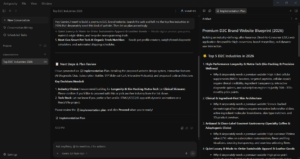
Once the AI picks a niche (like elite biohacking), you can tell it to redesign an existing website (like Ultrahuman) and even upload a photo for the AI to use as the brand model.

Feature 2: Google Antigravity 2.0: Parallel Agents Build a Working Storefront
The magic happens when multiple agents fire up at the exact same time. A Markup Architect agent builds the front-end structure, a Style Stylist agent handles the visuals, and a third agent generates brand campaign images.
When it’s done, you use the /browser command to reveal the actual website. In my test, it built a live storefront with an “add to cart” flow that actually worked end-to-end.
If you want to see the other major announcements from the summit, check out our breakdown of Google I/O 2026: The 7 Biggest AI Updates!
Feature 3: Schedule Autonomous Daily Tasks Antigravity stops being a software application and starts behaving like an actual employee with the “Schedule Task” tab. You can set it to run automatically on a schedule.
Copy this prompt to schedule a daily audit: Audit my website. Search through what is working and what is not. Give me a detailed report.
Now, every morning at 9:00 AM, Antigravity wakes itself up, audits your live website, searches the web for competitor changes, and has a report waiting for you.
Comparison Table: Antigravity 2.0 vs. The Competition
Pros & Cons of Antigravity 2.0
Pros:
- Free Access: You can build full products without a paid subscription.
- Unmatched Speed: Gemini 3.5 Flash generates code 4x faster than competitors.
- True Automation: The scheduled tasks feature turns the AI into an autonomous worker.
Cons:
- No Model Switching: You can no longer mix and match Claude or GPT models inside the app; you are locked into Google’s ecosystem.
- Rate Limits: The initial free tiers had brutal weekly caps, though Google has since tripled them for paid users.
FAQ Section
What is Google Antigravity 2.0?
Google Antigravity 2.0 is an AI coding tool that uses multiple AI agents working in parallel to build software. It features a clean chat-box interface instead of a complex code editor, making it accessible for non-developers.
Is Antigravity 2.0 free to use?
Yes, Antigravity 2.0 has a free tier option. While paid plans exist with higher rate limits, you can build full-blown products without paying, unlike competitors like Codex which require a $20/month subscription.
How does Antigravity compare to Claude Code?
While Claude Code requires developers to manually set up sub-agents, Antigravity dynamically spins up parallel agents automatically. Antigravity also runs on Gemini 3.5 Flash, which is four times faster at writing code than Claude.
Can I use Claude or GPT models inside Antigravity?
No. In version 2.0, Google removed the ability to switch between different AI models. You are now locked into using Google’s Gemini models out of the box.
Final Verdict & Strong CTA
Rating: 9/10 Google is giving away a Codex and Claude Code killer for free to lock developers into its ecosystem. The speed of Gemini 3.5 Flash and the autonomous parallel agents make this a must-have tool for anyone building software. The lack of model switching is a bummer, but the free tier makes it more than worth it.
Want more AI design prompts and workflows? Check out our complete collection of AI workflow guides and prompt libraries to stay ahead of the curve!