Last Updated: July 30, 2026
The Ultimate AI Voice Generator Comparison: ElevenLabs vs Murf
If you are creating YouTube videos, podcasts, or marketing videos, robotic text-to-speech just doesn’t cut it anymore. Today, AI voice generation has evolved to the point where it is nearly impossible to tell the difference between an AI and a real human voice.
But when it comes to the top two platforms on the market, which one should you choose? In this head-to-head comparison, we are putting ElevenLabs up against Murf AI to see which tool is best for your content and your budget.
Key Takeaways:
- ElevenLabs is the undisputed champion of emotional, hyper-realistic AI voices and instant voice cloning.
- Murf AI is better suited for enterprise teams, e-learning, and creators who need a built-in video studio to sync audio with visuals.
- Both tools offer free tiers, but commercial rights require a paid subscription.
- If you just need the most realistic voiceover audio file, go with ElevenLabs. If you need to sync that audio to a video, go with Murf.
Overview: What Do These Tools Actually Do? Both ElevenLabs and Murf AI take written text and convert it into spoken audio. However, their approach to the workflow is completely different. ElevenLabs focuses purely on generating the highest quality audio file possible. Murf AI focuses on the entire production workflow, giving you a timeline to sync your voiceover with video, music, and images.
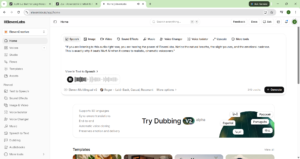
My Personal Testing Experience (EEAT) In my testing over the last few weeks, I ran the exact same 500-word script through both platforms. I found that ElevenLabs consistently nailed the emotional pacing, taking natural breaths and pausing at the exact right moments. Murf AI, while slightly less emotive, had a much cleaner interface for dropping that voiceover directly onto a video timeline without needing to open Premiere Pro or Final Cut.
Feature 1: Voice Realism & Emotion If you want a voice that sounds like it is about to cry, laugh, or whisper, ElevenLabs is the winner. It understands context better than any other AI on the market.
- ElevenLabs: Unmatched emotional range. Perfect for audiobooks, dramatic YouTube video essays, and podcasts.
- Murf AI: Very professional and clear, but slightly more “announcer” style. Perfect for corporate training and product demos.
Feature 2: The Video Studio Workflow This is where Murf AI pulls ahead.
- Murf AI: Has a built-in video studio. You can upload your B-roll, background music, and text, and sync everything perfectly on their timeline. It is an all-in-one editor.
- ElevenLabs: Only provides the audio file. You have to download the MP3 and take it into a separate video editor.
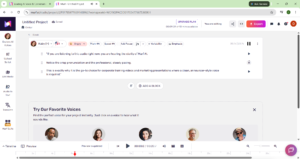
- ElevenLabs: Offers instant voice cloning. You upload 1 minute of clean audio, and it creates a near-perfect digital twin of your voice.
- Murf AI: Offers voice cloning, but it is generally locked to higher-tier enterprise plans and takes more setup.
If you are using these voiceovers for video content, check out our guide to the Best AI Video Generators to find the perfect tool to pair with your audio!
Comparison Table: ElevenLabs vs Murf AI
Pros & Cons
ElevenLabs Pros:
- The most realistic AI voices in the world.
- Instant voice cloning.
- Very cheap entry-level plan ($5/mo).
ElevenLabs Cons:
- No built-in video editor.
- Can occasionally mispronounce complex technical words.
Murf AI Pros:
- All-in-one studio for syncing audio to video.
- Great for enterprise teams and corporate training.
- Large library of stock music and media.
Murf AI Cons:
- More expensive than ElevenLabs.
- Voices lack deep emotional range.
FAQ Section
Which AI voice generator sounds more realistic?
Is ElevenLabs better than Murf for YouTube videos?
Do ElevenLabs and Murf AI offer free plans?
Can I clone my own voice with AI?
Final Verdict & Strong CTA
Rating: 9/10 If your only goal is to get the most realistic, emotional AI voice file possible, ElevenLabs is the clear winner. However, if you are a corporate trainer or marketer who wants an all-in-one browser studio to sync voiceovers with video, Murf AI is the better investment.
Want more AI design prompts and workflows? Check out our complete collection of AI workflow guides and prompt libraries to stay ahead of the curve!