Summarize pdf with AI
Reading long PDFs—whether it’s a 50-page research paper, a contract, or a financial report—is a massive time-waster. As someone who works in AI, I use a simple workflow to extract the exact data I need in seconds. Here is how you can do it for free.
Step 1: Pick Your AI Tool For this workflow, you can use either ChatGPT (OpenAI) or Claude (Anthropic). Both are free and excellent at reading documents. For this tutorial, I am using [Write ChatGPT OR Claude, whichever you use].
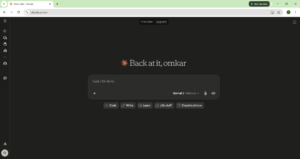
Step 2: Upload the Document Click the paperclip or attachment icon next to the chat box and upload your PDF file. Wait a few seconds for the AI to analyze it.
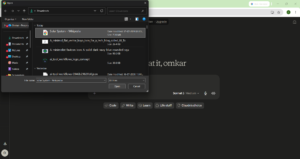
Step 3: The “Magic Prompt” Don’t just say “summarize this.” Use a specific prompt to get the best results. Copy and paste this exact prompt into the chat:
“Act as an expert analyst. I have uploaded a PDF. Please read it and provide: 1) A 3-bullet point summary of the main topic. 2) A list of the 5 most important takeaways. 3) Any specific numbers, dates, or action items mentioned.”
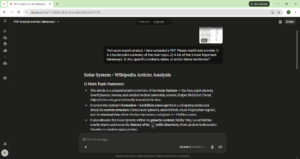
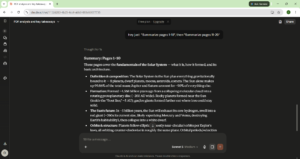
Pro-Tip from an ML Engineer: AI can sometimes “hallucinate” (make things up) if the PDF is too long. If your document is over 50 pages, don’t ask it to summarize the whole thing at once. Ask it to “Summarize pages 1-10”, then “Summarize pages 11-20”. This keeps the AI highly accurate.
Conclusion That’s it! You just saved yourself an hour of reading. What other boring tasks do you want me to show you how to automate with AI? Let me know in the comments!