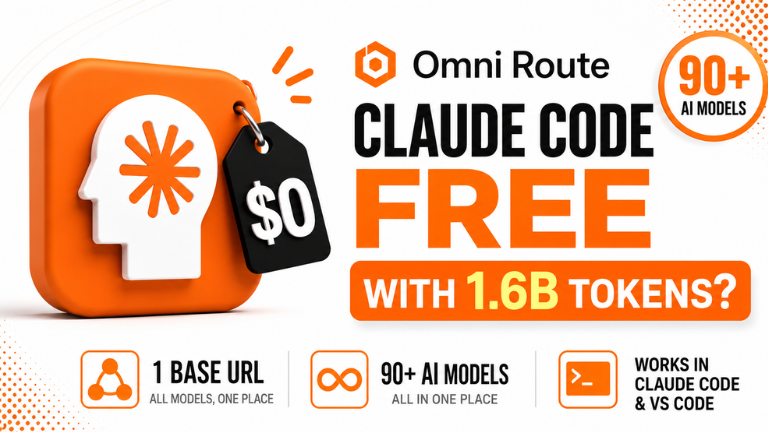
How to Run Premium AI for Free in 2026
If you are looking for the best free AI models to run inside Claude Code, you are in the right place. Right now, paying for Claude, ChatGPT, and Gemini can easily add up to hundreds of dollars a month. I spent the last week trying to bring that number down to zero.
By leveraging Application Programming Interfaces (APIs) and a new open-source tool called OmniRoute, you can run models like Opus 4.6, Sonnet, and DeepSeek on your computer for $0. Here is my hands-on breakdown of exactly how to set this up.
Key Takeaways:
- OmniRoute combines scattered free AI providers (like Antigravity and NVIDIA NIM) into one single API key.
- You can edit Claude Code’s
settings.jsonfile to replace Anthropic’s paid brain with free AI models. - Not all free models work; you must test them, but Opus 4.6 and DeepSeek are currently the most reliable.
- You can use the “Combos” feature to create an automatic fallback, so if one free model hits a limit, another takes over.
Free AI Models: Overview & EEAT
When you pay for Claude, you are paying for two things: the model (the brain) and the Claude app (the body). The engine and the car are not fixed to each other. You can take the engine out and put a different one in, and the car still drives.
In my testing of free AI models, I connected four providers to OmniRoute and ran Opus 4.6 directly inside Claude Code. The cost on the dashboard read $0.00. However, I also found that out of 13 models a provider claimed to offer, only 11 actually replied. Free models hit limits and go down, which is why testing them is critical.
Feature 1: The OmniRoute Travel Adapter
Free models were never the problem; the problem was that they are spread across 40 different websites. OmniRoute fixes this. It is an open-source adapter that brings all those scattered free providers into one place. You connect once, and OmniRoute gives you 1.4 billion free tokens every month.
Copy this prompt to test your connected models: Hey. Just reply with the word “confirmed” so I know you are online and working.
Feature 2: Editing Claude Code Settings
Once you have your OmniRoute API key, you need to tell Claude Code to use it instead of Anthropic. You do this by editing the settings.json file inside the Claude folder on your computer. You replace the Anthropic address with the OmniRoute Base URL, and paste in the names of your working free models.
If you want to see what happens when you use Anthropic’s most powerful paid model, check out our Claude Fable 5 Review!
Feature 3: The “Combos” Fallback Strategy
Because free models go down, relying on one is dangerous. OmniRoute has a “Combos” feature to fix this. You can create a team of free models (e.g., NVIDIA NIM as the main, DeepSeek as the backup). If the main model hits a limit, the baton automatically passes to the next runner, and the race doesn’t stop.
Feature 4: Deploying with Hostinger
Once you build an app using these free models, it’s stuck on your laptop. To put it online, you can use the Hostinger connector inside Claude Code. You just type “Hostinger is connected. Let’s deploy this website,” and Claude packs the files and sends them to a live link in 2 minutes.
If you want to see another tool that connects to these free providers, check out our Google Antigravity 2.0 review!
Comparison Table: Paid AI Subscriptions vs. Free AI Models
Pros & Cons of Free AI Models
Pros:
- Zero Cost: Run $200/month models like Opus 4.6 for completely free.
- Model Swapping: Easily switch between Gemini, Claude, and DeepSeek in one chat.
- Open Source: The adapter code is public, so you can verify how your data is routed.
Cons:
- Unreliable: A model that works today might be dead tomorrow morning.
- Trust & Safety: Connecting Google accounts to new tools carries some risk. Best for learning, not for company secrets.
- Setup: Requires pasting commands into a terminal, which might scare non-technical users.
FAQ Section
Can I use Claude Code for free?
Yes. By installing the open-source OmniRoute tool, you can connect free AI providers (like Antigravity and NVIDIA NIM) and route them through Claude Code by editing the settings.json file. This gives you access to the Claude app interface for $0.
What are the best free AI models available right now?
Based on testing, Claude Opus 4.6, Claude Sonnet 4.6, and DeepSeek are the best working free models available through OmniRoute. However, availability changes weekly, so you must use the “Test Models” button to verify them.
Is OmniRoute safe to use?
OmniRoute is open-source, meaning anyone can read the code. However, it does require you to connect your Google or NVIDIA accounts to generate API keys. It is safe for learning and prototyping, but do not put sensitive company data through it.
Can free AI models build real software?
Yes. In testing, a combination of free models built “Sprout Kingdom,” a working retro game, and deployed a health tracker app to a live website using Hostinger. They are capable of real coding tasks, though they may occasionally crash.
Final Verdict & Strong CTA
Rating: 8.5/10 Running free AI models inside Claude Code is an incredible hack for solo founders and learners who want the power of Opus and DeepSeek without the $500/month bill. Just remember that free means unstable. Use the Combos feature to create fallbacks, and never put your company’s private data through free routing tools.
Want more AI design prompts and workflows? Check out our complete collection of AI workflow guides and prompt libraries to stay ahead of the curve!
Ready to deploy your AI app? Click here to try Hostinger and put your next AI build on the internet in 2 minutes.