Taking messy data from an email or a PDF and turning it into a clean spreadsheet is a nightmare. You usually spend 30 minutes copying and pasting. As an AI engineer, I use a 10-second workflow to clean messy data instantly. Here is how.
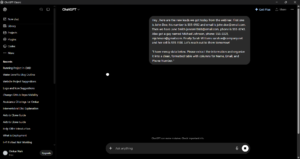
Step 1: Find Your Messy Data Find some messy text. It could be a list of names, emails, and phone numbers all jumbled together in one paragraph.
Step 2: The Data Cleaning Prompt Open ChatGPT. Don’t just paste the data. You have to give it rules. Paste your messy text and use this exact prompt:
“I have messy data below. Please extract the information and organize it into a clean, formatted table with columns for Name, Email, and Phone Number. Do not add any extra text, just give me the table.”
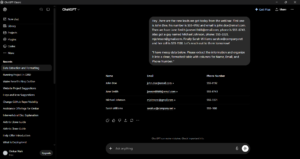
Step 3: Copy to Excel or Sheets ChatGPT will instantly output a perfectly formatted table. Simply highlight the table, copy it, and paste it directly into Google Sheets or Microsoft Excel. It will automatically separate into the correct rows and columns.
Pro-Tip from an ML Engineer: If you have a massive list of 100+ items, tell ChatGPT to format it as a “CSV format” instead of a table. You can save that text file as .csv and open it directly in Excel perfectly.
Conclusion Stop wasting hours manually formatting data. Let AI do the boring work for you in seconds. What kind of messy data do you have to clean? Let me know in the comments!