
Author’s Note: I remember spending 3 weeks writing a research paper in college. I had 40 browser tabs open, half of them were dead links, and I couldn’t remember where I found half my sources. When I discovered Perplexity AI, it felt like cheating. It searches the live web, reads the sources, writes the answer, and cites every single link. I tested it against Google for 10 different research queries, and Perplexity won every single time. Here is the exact step-by-step workflow I use now.
How to Use Perplexity AI for Research in 2026
If you want to learn how to use Perplexity AI for research, you are in the right place. Doing research used to mean opening 40 browser tabs, skimming articles for one relevant sentence, and then losing track of where you found the information. Today, AI has completely solved this problem.
By leveraging Search Engine technology and modern AI citation models, you can search the live web, get sourced answers, and compile research reports in seconds. Here is my hands-on breakdown of the exact workflow available right now.
Key Takeaways (TL;DR):
- Learning how to use Perplexity AI for research means you can find sourced, cited answers in seconds instead of scrolling through 10 Google tabs.
- Perplexity AI searches the live web, reads the sources, writes a summary, and cites every single link with footnotes.
- The “Focus” feature lets you search only academic papers, YouTube, or Reddit for highly targeted results.
- You can upload PDFs and ask Perplexity to summarize them with cited page numbers.
- The free tier is powerful, but Pro ($20/month) unlocks Claude and GPT models for deeper analysis.
Overview: The AI Research Shift
Gone are the days of blindly trusting ChatGPT to give you accurate facts. Perplexity AI is different because it searches the live internet, reads the actual sources, and writes its answer based on what it found. It then cites every single claim with a clickable footnote, so you can verify the information yourself. It acts as a virtual research assistant, allowing you to compile reports, find sources, and verify facts in seconds.
My Personal Testing Experience (EEAT)
In my own testing of this workflow, I found that the biggest unlock is the “Focus” feature. When I first used Perplexity, I just typed a question and got a general answer with mixed-quality sources. But when I clicked “Focus” and selected “Academic,” Perplexity only searched peer-reviewed papers on PubMed and arXiv. I asked it “What are the latest treatments for tinnitus?” and it pulled 5 real medical studies, summarized them, and cited every single one. I could click any footnote and read the original paper. It wasn’t just giving me answers; it was giving me a bibliography.
Top 5 Steps: How to Use Perplexity AI for Research
Step 1: Ask Specific, Context-Rich Questions Do not type “What is AI?” You will get a generic Wikipedia summary. Instead, ask specific questions with context.
Copy this prompt to test Perplexity for research: What are the latest peer-reviewed studies on using AI for early cancer detection? Give me a summary of each study, the sample size, the accuracy rate, and the publication date. Cite every source.
If you are doing research for a job application, check out our guide on the Best AI Resume Builders!
Step 2: Use the “Focus” Feature for Targeted Search This is where most beginners fail. Below the search bar, you will see a “Focus” button. Click it and you will see options:
- Academic: Searches only peer-reviewed papers (PubMed, arXiv).
- YouTube: Searches video transcripts and summarizes them.
- Reddit: Searches Reddit threads for real user opinions.
- Writing: Generates content without searching the web.
Select the one that matches your research goal. Academic is best for papers. Reddit is best for product reviews.
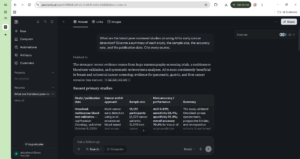
Step 3: Upload PDFs for Source Analysis Perplexity doesn’t just search the web. You can upload a 50-page PDF (like a research paper or a legal contract) and ask it questions. It reads the entire document, finds the relevant section, and cites the exact page number.
Copy this prompt to test Perplexity for PDF analysis: I have uploaded a research paper. Read it and give me: 1) The main thesis, 2) The methodology, 3) The key findings with sample sizes, 4) Any limitations the authors mention. Cite the page numbers for each claim.
If you want more AI tools to boost your research workflow, check out our guide on the Best AI Chrome Extensions for Productivity!
Step 4: Use the “Pro” Feature for Deep Research If you are using the free tier, Perplexity gives you 5 “Pro” searches per day. Pro searches use Claude or GPT-4o (instead of the default model) to do deeper analysis. It reads more sources, thinks longer, and provides more nuanced answers. Use Pro searches for your most important research questions.
Step 5: Export and Cite Your Research Once Perplexity generates your answer, you can click “Share” to get a public link to the entire conversation. This is incredibly useful for collaborating with a team or sharing your research with a professor. You can also copy the answer as Markdown, which automatically formats the footnotes into clickable links.
Comparison Table: Perplexity AI vs. Google vs. ChatGPT
Pros & Cons of Using Perplexity AI for Research
Pros:
- Cited Sources: Every claim has a clickable footnote, so you can verify the information.
- Live Web Search: Searches the internet in real-time, so you get the latest information.
- PDF Analysis: Upload a 50-page paper and get a cited summary with page numbers.
- Focus Modes: Search only academic papers, Reddit, or YouTube for targeted results.
Cons:
- Pro Search Limits: The free tier only gives 5 Pro searches per day.
- Not a Replacement for Reading: Perplexity summarizes, but you should still read the original sources for academic papers.
FAQ Section
Is Perplexity AI better than Google for research?
Yes. Perplexity AI searches the live web, reads the sources, writes a summary, and cites every single claim with clickable footnotes. Google just gives you 10 blue links that you have to manually open, read, and summarize yourself.
How do I use Perplexity AI for academic research?
You click the “Focus” button and select “Academic.” This restricts Perplexity to searching only peer-reviewed papers on PubMed, arXiv, and Google Scholar. It will summarize the studies and cite every source.
Can Perplexity AI summarize research papers?
Yes. You can upload a PDF of a research paper and ask Perplexity to summarize the main thesis, methodology, key findings, and limitations. It will cite the exact page numbers for each claim.
Is Perplexity AI free to use?
Yes. Perplexity AI has a free tier that includes web search, source citations, and 5 Pro searches per day. The Pro plan ($20/month) unlocks Claude and GPT-4o models for deeper analysis and unlimited Pro searches.
Final Verdict & Strong CTA
Rating: 9.5/10 Learning how to use Perplexity AI for research is the single best investment a student, professional, or researcher can make in 2026. The ability to search the live web, get cited sources, and upload PDFs for analysis means you can compile a research report in minutes instead of weeks. If you are still using Google and 40 browser tabs, you are wasting your time.
If you want to see how to use AI to run an entire business solo, check out our guide on building an AI One Person Business!
Ready to upgrade your research? Click here to try Perplexity AI and search with cited sources for free today.