
If you spend more than 10 minutes trying to write an Excel formula, you are wasting time. As an AI engineer, I never write complex formulas from scratch anymore. I let AI do the heavy lifting. Here is my exact workflow.
Step 1: Open ChatGPT You can use the free version of ChatGPT for this.
Step 2: The “Context” Prompt The secret to getting ChatGPT to write Excel formulas is giving it context about your columns. Don’t just say “write a formula.” Use this template:
“I have an Excel sheet. Column A has First Names, Column B has Last Names, and Column C has Email Addresses. Write an Excel formula to combine them into one cell formatted as ‘Last Name, First Name – Email’.”
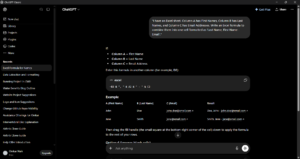
Step 3: Copy and Paste ChatGPT will spit out a perfect formula (like =CONCATENATE(B2, ", ", A2, " - ", C2)). Simply copy that formula, paste it into your Excel sheet, and drag it down. It will do the work for 1,000 rows in 1 second.
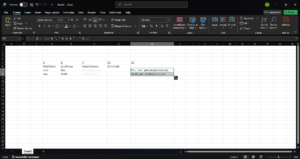
Pro-Tip from an ML Engineer: If ChatGPT gives you a formula and it says “#ERROR!”, don’t panic. Just go back to ChatGPT and say: “This formula gave an error. Here is a screenshot of my Excel sheet. Fix it.” It will debug it for you instantly.
Conclusion Stop fighting with Excel. Let AI write your formulas, clean your data, and format your sheets. What is the hardest Excel task you are stuck on? Tell me in the comments and I’ll give you the AI prompt for it!