The Ultimate AI Super App Test: ChatGPT Work vs Claude Cowork
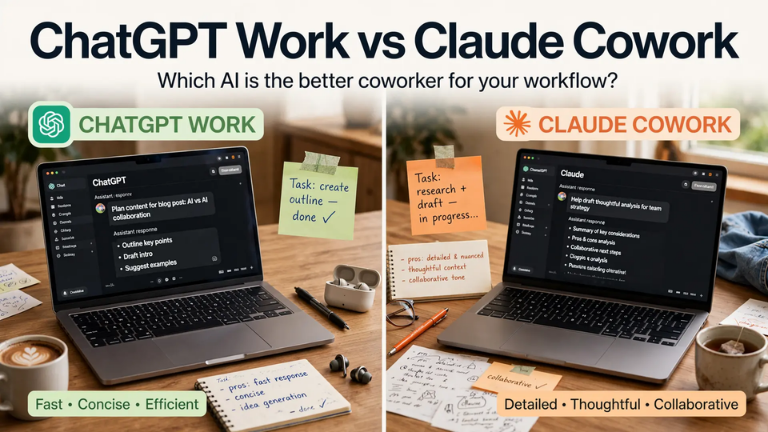
If you are looking for the ultimate ChatGPT Work vs Claude Cowork comparison, you are in the right place. Everybody in AI is obsessed with Claude and ChatGPT, yet most of us still use them the same way we did two years ago—typing prompts and doing the actual work ourselves.
Both OpenAI and Anthropic have quietly built “Super Apps” that can sit inside your computer, open your apps, and do the whole job for you. By leveraging Super App technology, these platforms are shifting from chatbots to autonomous employees. Here is my hands-on breakdown of who actually does it better.
Key Takeaways:
- ChatGPT Work and Claude Cowork are autonomous AI workspaces that can control your browser, read your Slack, and build files without you typing prompts.
- In real-world testing, Claude Cowork is better at understanding why you are doing a task by recording your voice alongside your screen.
- ChatGPT Work is better at taking that recorded task, running it in a browser on a loop, and hosting the final result live on the internet.
- There is no single winner in the ChatGPT Work vs Claude Cowork battle; it comes down to whether you prefer deeper context (Claude) or faster execution (ChatGPT).
ChatGPT Work vs Claude Cowork: Overview & EEAT
When you open ChatGPT Work and Claude Cowork, they look almost identical. They run on the same idea: you flip a toggle from “Chat” to “Work,” and the AI stops answering questions and starts executing tasks.
In my testing for this ChatGPT Work vs Claude Cowork review, I put them head-to-head on 10 real jobs. I found that ChatGPT is slightly faster at execution, but Claude is vastly superior at learning from your past behavior. When I asked both to plan a 5-day Tokyo trip from a messy PDF, ChatGPT gave a generic itinerary. Claude stopped, asked me which dates I preferred, picked a neighborhood based on my coffee preference, and saved the files directly to my Google Drive.
Feature 1: The “Record a Skill” Test
This is the biggest differentiator. Both platforms now let you “Record a Skill”—meaning you do a task once, and the AI turns it into a reusable automation.
ChatGPT Work: Records your screen. If you scroll X, like AI posts, and copy viral links to Slack, ChatGPT learns the clicks. You can then tell it to “Run this every 2 hours,” and it will literally open a browser, move the mouse, and do it on a loop. Claude Cowork: Records your screen and your voice. When I compressed a heavy video file and uploaded it to Drive, Claude heard me explain why I was doing it. It broke the job down into 108 steps, attached my spoken reasoning to each click, and saved a perfect skill.
Copy this prompt to test Claude Cowork: Record my workflow. I am opening QuickTime, exporting a lower resolution version of this screen recording, moving the heavy original to a ‘Done’ folder, uploading the light version to a new Drive folder, and pasting the share link in Slack. Watch and learn why I do each step.
Feature 2: Live Websites vs Artifacts
If you want to build an app or a portfolio website, the two platforms handle it very differently.
ChatGPT Work: Has a feature called “Sites.” You ask for a portfolio, and it spins up 3 sub-agents (one for design, one for writing). It shows you 3 mood boards, you pick one, and it builds the site. The best part? It hosts it live on a chatgpt.site link instantly. Claude Cowork: Uses “Artifacts.” It builds a beautiful HTML site, but hands it to you as a file to download. To make it shareable, you have to create a “Live Artifact,” which requires answering setup questions about your tools and audience.
If you want to see how these Super Apps were announced, check out our breakdown of the biggest AI News This Week!
Feature 3: Plugins, Pets, and Side Chats
ChatGPT Work currently has a few exclusive UI features that Claude Cowork lacks:
- Side Chat: While a long task is running, you can type
/sideto open a mini-chat where you can ask, “How much time is left?” without interrupting the main task. - AI Pets: A fun little animated character floats on your screen. While a task is running, the pet shows a running animation. When it’s done, it shows a green tick.
- Plugin Library: ChatGPT has a massive library of one-click plugins (like Zomato, Slack, Finance). Claude bundles theirs into “packs” (e.g., a Data Plugin with 10 skills inside).
Comparison Table: ChatGPT Work vs Claude Cowork
|
Feature
|
ChatGPT Work
|
Claude Cowork
|
|---|---|---|
| Task Learning | Screen recording only | Best (Screen + Voice recording) |
| Execution | Best (Runs in browser on a loop) | Good (Runs locally or in cloud) |
| Website Hosting | Yes (Instant live chatgpt.site link) | No (Exports as Artifact file) |
| UI Extras | Side Chat, AI Pets, Slash commands | Standard interface |
| Context Memory | Good | Best (Explains why it chose things) |
Pros & Cons of the AI Super Apps
ChatGPT Work Pros:
- Instant Hosting: The “Sites” feature puts your app live on the internet in one click.
- Autonomous Browser: Can move your mouse and scroll on a schedule.
- UI Features: Side chat and AI pets make monitoring tasks easier.
Claude Cowork Pros:
- Deep Context: Records your voice to understand the reasoning behind your clicks.
- Clarifying Questions: Stops and asks you questions instead of guessing and giving generic outputs.
- File Management: Saves finished files directly to your Drive or folders.
FAQ Section
What is the difference between ChatGPT Work and Claude Cowork?
ChatGPT Work is an autonomous AI workspace that focuses on executing tasks in your browser and hosting them live. Claude Cowork focuses on deep context, recording your screen and voice to learn exactly why you do tasks, and saving finished files directly to your Drive.
Can ChatGPT build a live website?
Yes. ChatGPT Work has a feature called “Sites.” You give it a prompt, and it spins up sub-agents to design, write, and host the website on a live chatgpt.site link that you can share with anyone.
Can Claude Cowork record your screen?
Yes. Claude Cowork has a “Record a Skill” feature that records your screen and your voice simultaneously. It breaks your workflow down into over 100 steps, attaches your spoken reasoning to each click, and turns it into a reusable AI skill.
Which AI is better for scheduling tasks?
Both are excellent. ChatGPT Work allows you to schedule tasks to run on a loop (e.g., checking X every 2 hours). Claude Cowork allows you to schedule tasks (e.g., weekly Slack reports) but is more honest about its limits, noting that some tasks require your computer to be on.
Final Verdict & Strong CTA
Rating: 9.5/10 The ChatGPT Work vs Claude Cowork battle has no single winner. ChatGPT is the ultimate executor—it moves your mouse, builds live sites, and runs loops. Claude is the ultimate analyst—it listens to you, understands your reasoning, and gives you deeply personalized files. Pick ChatGPT for speed, and Claude for context.
Want more AI design prompts and workflows? Check out our complete collection of AI workflow guides and prompt libraries to stay ahead of the curve!
Ready to automate your work? Click here to try Claude Pro and test the Cowork feature today.