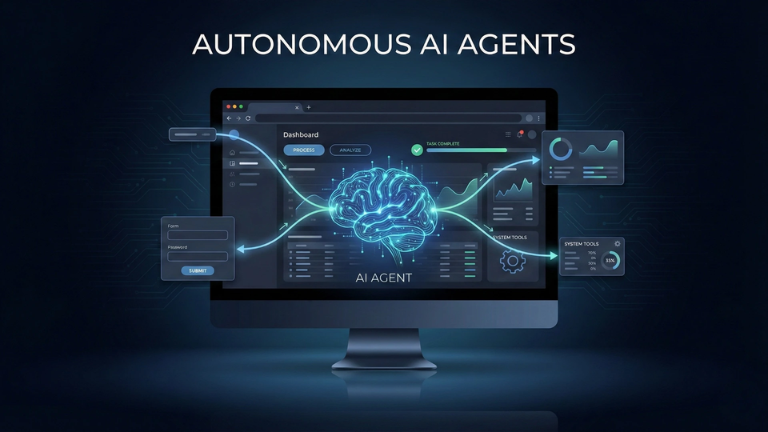
Most people use AI like a calculator: you open ChatGPT, ask a question, it gives you an answer, and you close the tab. But a new category of tools is emerging that operates on a completely different level. They are called Autonomous AI Agents, and they don’t wait for you to type.
Instead of sitting idle, these agents run on a server 24/7, connect directly to your email and calendar, make decisions, and execute tasks on autopilot. A recent tool demonstrating this is OpenClaw.
If you want to understand where AI is actually heading (beyond chatbots), you need to understand how autonomous agents work. Here are 10 real-world use cases that show their true power.
Phase 1: Automating the Daily Grind
1. Inbox Zero on Autopilot Instead of manually sorting emails, you give the agent a prompt: “Unsubscribe me from newsletters I haven’t opened in 30 days, archive everything older than 90 days, and flag what needs a reply.” The agent logs into your Gmail, reads the metadata, and executes the cleanup while you sleep.
2. The Subscription Watchdog Agents can scan your inbox for receipts and billing emails, extract the service name, monthly cost, and renewal date, and present you with a dashboard of “zombie subscriptions” you forgot to cancel.
3. The Morning Briefing You can schedule a “cron job” (an automated trigger) for 7:00 AM every day. The agent checks your Google Calendar, scans your inbox for urgent emails, and sends you a single Telegram message with your priorities for the day.
Phase 2: Deep Work & Meetings
4. Pre-Call Intelligence Briefs Two hours before a meeting, the agent can cross-reference a contact’s email address with their recent LinkedIn activity and your past email threads. It then generates a 1-page summary of who they are, what you last discussed, and suggests talking points.
5. The Mission Control Dashboard Instead of juggling 10 different apps, you can tell the agent to build a live web dashboard that pulls your top 3 goals, active agent statuses, and daily calendar into one single, custom-built URL.
Phase 3: The Advanced Capabilities
6. Voice-to-Content Pipelines You can record a raw, unstructured voice memo on your phone saying, “I have an idea about AI workflows.” The agent transcribes it, researches the topic, and drafts a fully formatted LinkedIn post in your specific writing style.
7. Multi-Agent Swarms You don’t just have one agent. You can deploy a “squad” (e.g., a Research Agent, an Ops Agent, a Content Agent). They run in parallel, share data with each other, and send you a combined digest twice a day.
8. Zero-Code App Generation You don’t need to know how to code to build software anymore. You can text your agent: “Build me a crypto portfolio tracker with dark mode and INR/USD conversion.” The agent writes the code, deploys it to a server, and hands you a working live URL.
Phase 4: The Mind-Bending Stuff
9. True Autopilot Mode Because these agents run on a server (not in a browser tab), they don’t need you to press “Start.” You can schedule complex, multi-step workflows to run automatically in the background forever.
10. Self-Upgrading AI This is the most advanced use case: The agent analyzes your daily habits, realizes you frequently ask it to do a specific task, and then writes its own custom code to automate that task permanently, installing the update on itself without you asking.
The “Engineer” Reality Check
Tools like this aren’t magic; they are a combination of a Virtual Private Server (VPS), API keys (to access Gmail/Calendar), and an LLM (like Claude or GPT-4) acting as the reasoning engine.
However, they represent the real future of AI. We are moving away from “prompt and reply” to “delegate and verify.”
Conclusion The gap between having an idea and having a working digital system is disappearing. Which of these 10 use cases would save you the most time? Let me know in the comments!