Creating PowerPoint slides takes hours. You have to design layouts, find stock photos, and align text. As an AI engineer, I never build slides from scratch anymore. I use AI to generate stunning presentations in seconds. Here is my exact workflow.
Step 1: Go to Gamma.app There are many AI slide makers, but Gamma.app is currently the best. It gives you free credits to start, and the designs actually look modern and professional. Go to Gamma.app and create a free account.

Step 2: The “One-Prompt” Method Don’t try to build it slide by slide. Click “Create New” -> “Generate”. You just need one powerful prompt. Use this template:
“Create a 5-slide presentation about [Your Topic]. Make it visually engaging, use a modern corporate design, and include a title slide, 3 bullet-point slides, and a conclusion slide.”
For example: “Create a 5-slide presentation about the benefits of AI in healthcare. Make it visually engaging…”

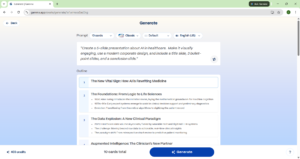
Step 3: Edit and Export Gamma will generate a full, beautifully designed presentation in about 15 seconds. You can click on any text to change it, or ask the AI to “Rewrite this slide”. Once you are happy, click “Export” in the top right. You can download it as a PowerPoint file or a PDF.


Pro-Tip from an ML Engineer: Don’t just accept the first draft. If it looks too text-heavy, click the AI button and type: “Make this slide more visual by replacing text with a chart.” AI is iterative. Guide it!
Conclusion Stop wasting hours formatting slides. Let AI do the heavy lifting so you can focus on actually delivering the presentation. What topic are you going to test this on? Let me know in the comments!